
What changed in Better Attachments Pro, newest release first. How each feature works is in the user guide.
20 November 2026
A selection panel for bulk download, labels and delete, a new way to label attachments, and clear messages when Jira is slow or says no.
New: the selection panel
Tick attachments and a panel opens next to the table. It shows what you selected (files, size, work items, file types) and runs every action there, with progress and result. It replaces the bar at the bottom of the page.
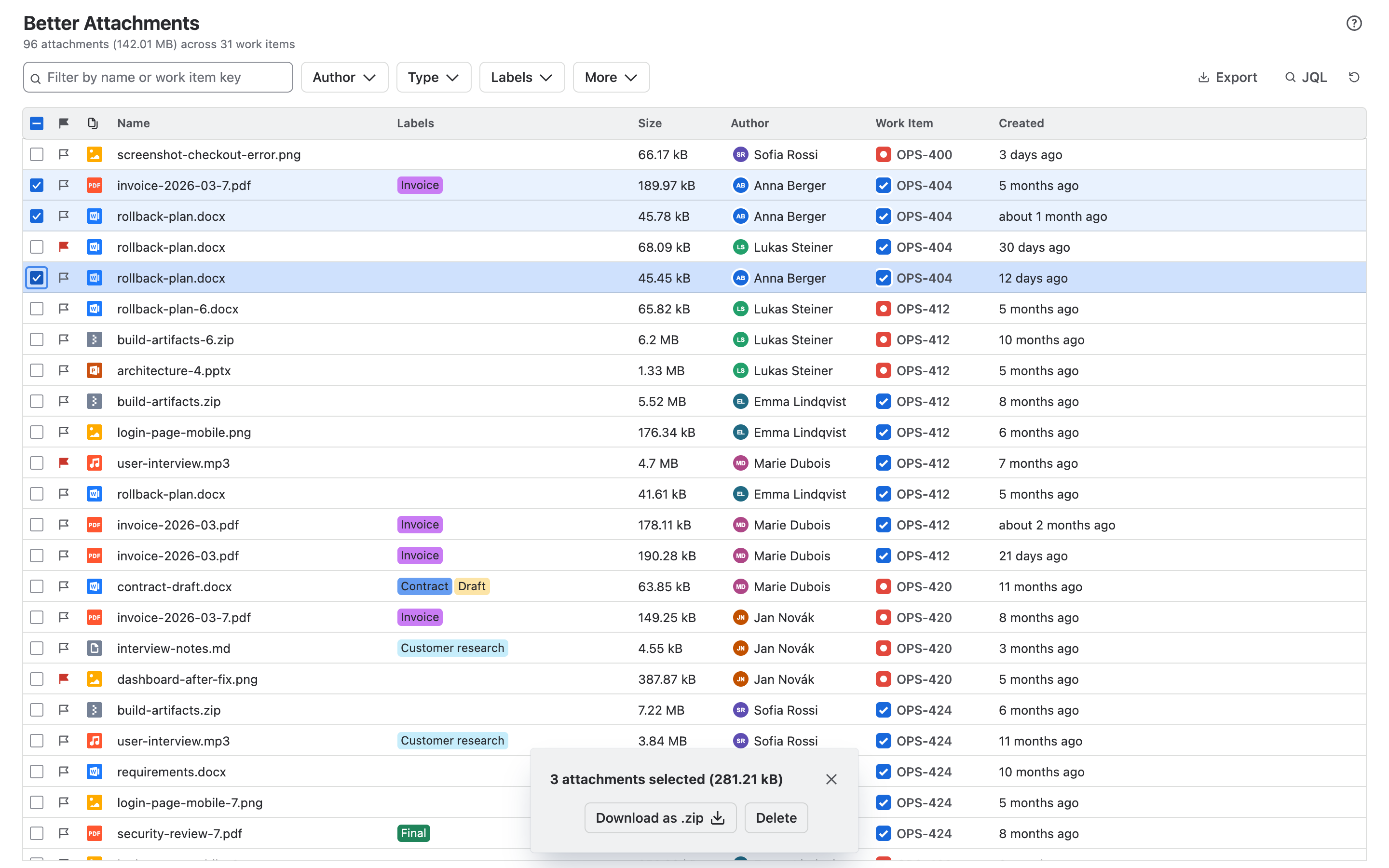
- Download as ZIP. One ZIP, written to disk while it downloads, so large downloads no longer depend on your browser’s memory. Leave out file types, keep one folder per work item, or split a large selection into batches of up to 10,000 files or 1 GB. Batches can start one after another by themselves. A work item is never split across two ZIP files.
- Nothing is dropped silently. A file that could not be fetched is listed with the reason and can be downloaded again. The rest of the ZIP is complete.
- Delete. You confirm with a tick before anything is removed. Attachments you may not delete are left out up front, and whatever could not be deleted stays selected for another try.
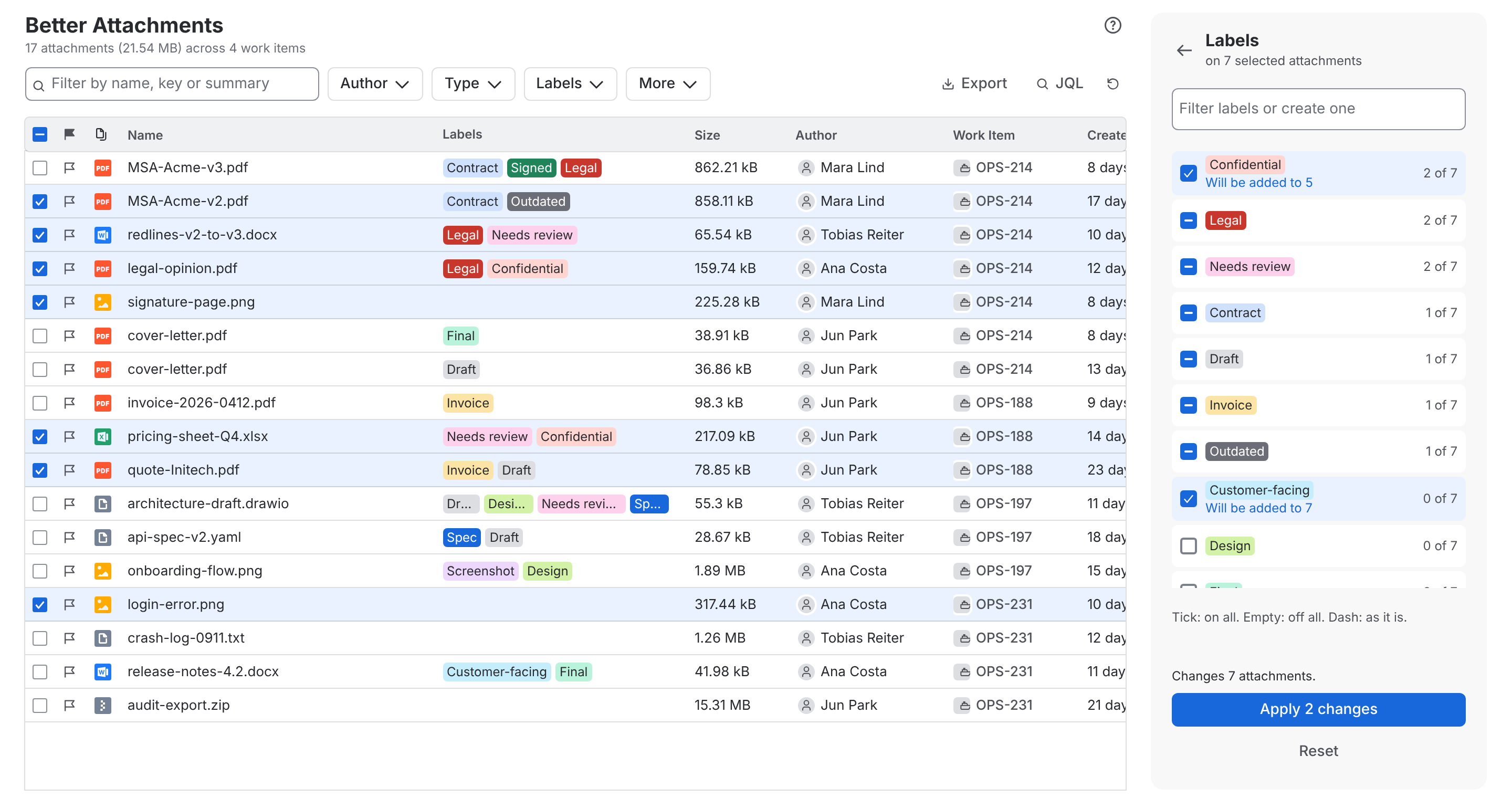
New: labels for many attachments at once
One checklist for the whole selection: put a label on all selected attachments, take it off all of them, or leave it as it is. Create a missing label from the same field.
New: a faster way to label attachments
- Click the labels of an attachment and a picker opens under the cell: search, tick, and create the label that is missing. Every tick is saved at once.
- Rename, recolour or delete a label without leaving the picker.
- Manage labels replaces the sidebar: all labels in one dialog, with a count of the listed attachments per label. Click a count to filter the table by that label.
- The table shows whole labels and a “+n” for the rest instead of squeezed ones.
- On a work item, labels are edited right in the row, with the labels of the work item’s other attachments one click away.
- A new label gets a colour that no other label has.
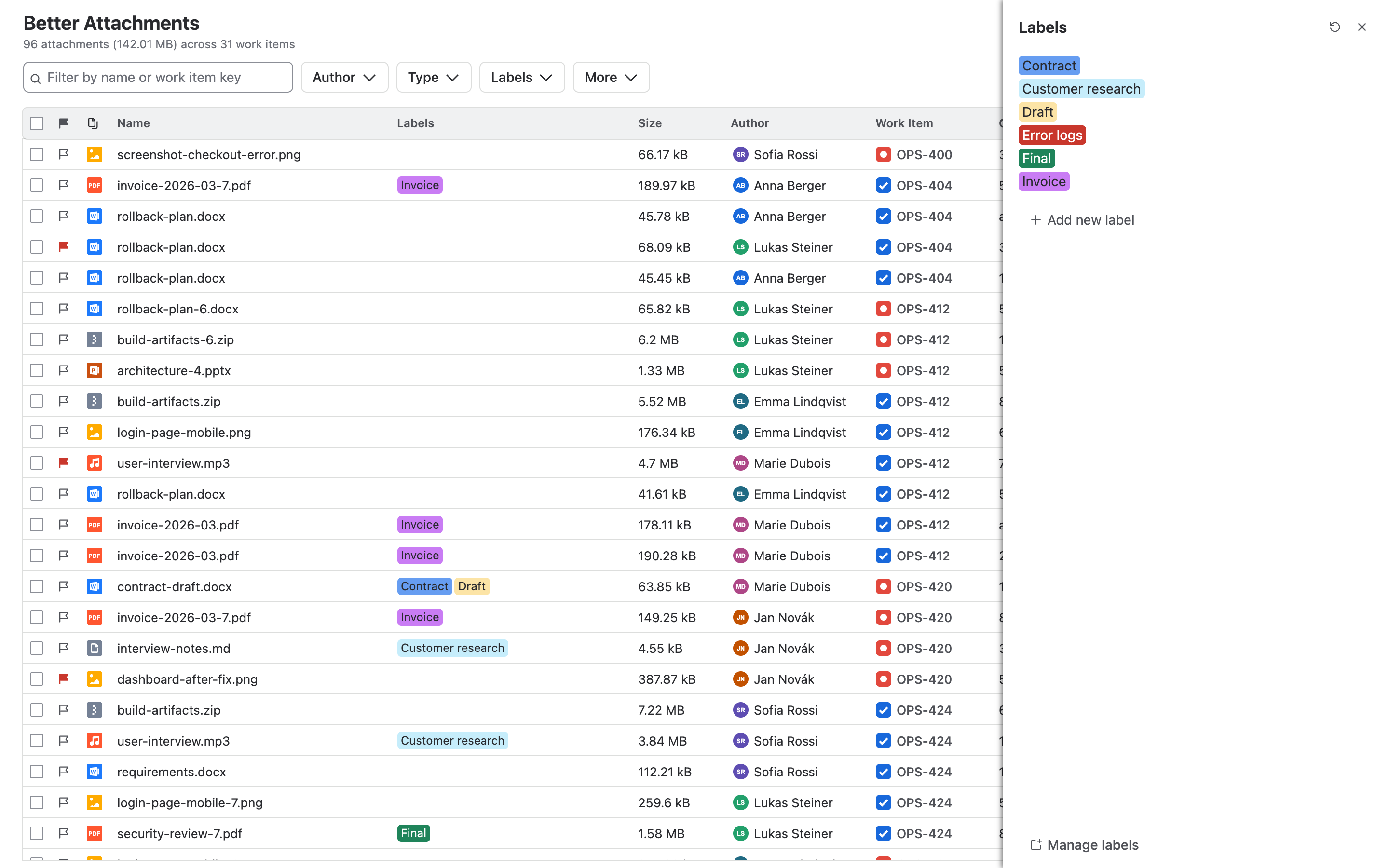
New: label administration
The page in the Jira settings is rebuilt as one list that is edited in place. Tick several labels to recolour or delete them together, paste a list of names to add many labels at once, and see which colours are in use.
New: Get started
A page that shows where the app is found and what to try first. It opens after installation, from Apps in Jira’s navigation and from the ? menu.
More reliable
- The app now watches Jira’s rate limit while it loads work items and attachments, and slows down before Jira has to refuse a request. Large projects load more steadily.
- Error messages say what went wrong, what it means for your data and what to do. A page that fails offers Try again instead of staying blank.
- If some work items could not be loaded, the list says how many are missing and loads them on request.
- Report a problem in the ? menu gives you an error report to copy for our support. It holds no file names, work item content or names of people.
Improved
- The text filter also finds attachments by the summary of their work item.
- The panel on a work item notices added and removed attachments by itself, reloads when you come back to it, and offers to try again when loading failed.
Fixed
- The JQL editor no longer fails on an empty query, closes its suggestions when you submit, keeps what you typed and no longer loses the cursor.
- A label somebody else just created is no longer lost when you edit an attachment.
- A new label is saved when you leave its name field with Tab.
- The lightest label colours are visible in the dark theme.
- The CSV export shows the name of a file type instead of an internal id.
- The dimmed background of a dialog now covers the whole page.
Security
- The app no longer allows inline scripts or
evalin its pages. - It asks for fewer permissions: managing projects is replaced by reading and writing one project property, and a permission that was not needed is gone. Because the permissions changed, a Jira administrator has to approve this update before a site gets it.