
What changed in Better Attachments Lite, newest release first. How each feature works is in the user guide.
20 November 2026
A selection panel for bulk download and delete, faster downloads, and clear messages when Jira is slow or says no.
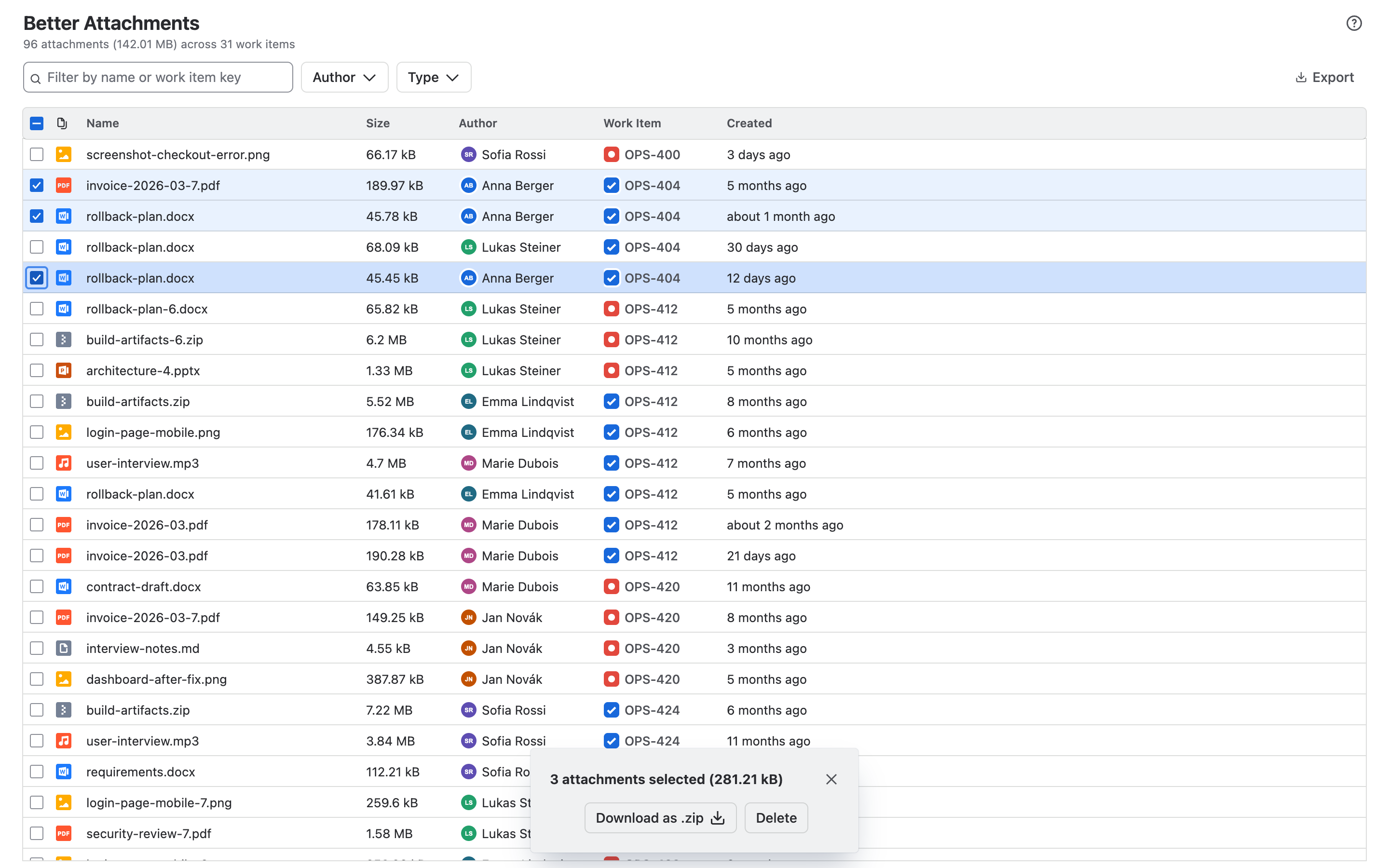
New: the selection panel
Tick attachments and a panel opens next to the table. It shows what you selected (files, size, work items, file types) and runs every action there, with progress and result. It replaces the bar at the bottom of the page.
- Download as ZIP. One ZIP, written to disk while it downloads, so large downloads no longer depend on your browser’s memory. Leave out file types, or split a large selection into batches of up to 5,000 files or 512 MB. Batches can start one after another by themselves. A work item is never split across two ZIP files.
- Nothing is dropped silently. A file that could not be fetched is listed with the reason and can be downloaded again. The rest of the ZIP is complete.
- Delete. You confirm with a tick before anything is removed. Attachments you may not delete are left out up front, and whatever could not be deleted stays selected for another try.
Faster
- Downloads fetch 16 files at a time instead of 9.
More reliable
- The app now watches Jira’s rate limit while it loads work items and attachments, and slows down before Jira has to refuse a request. Large projects load more steadily.
- Error messages say what went wrong, what it means for your data and what to do. A page that fails offers Try again instead of staying blank.
- If some work items could not be loaded, the list says how many are missing and loads them on request.
- Report a problem in the ? menu gives you an error report to copy for our support. It holds no file names, work item content or names of people.
Improved
- The text filter also finds attachments by the summary of their work item.
Fixed
- The CSV export shows the name of a file type instead of an internal id.
- The page no longer scrolls on its own, and the dimmed background of a dialog covers the whole page.
Security
- The app no longer allows inline scripts or
evalin its pages. - It asks for one permission less. Because the permissions changed, a Jira administrator has to approve this update before a site gets it.