Where to find it
Open a project in Jira and choose Better Attachments from the project’s apps. After a moment the table lists every attachment of the project.
The attachments table
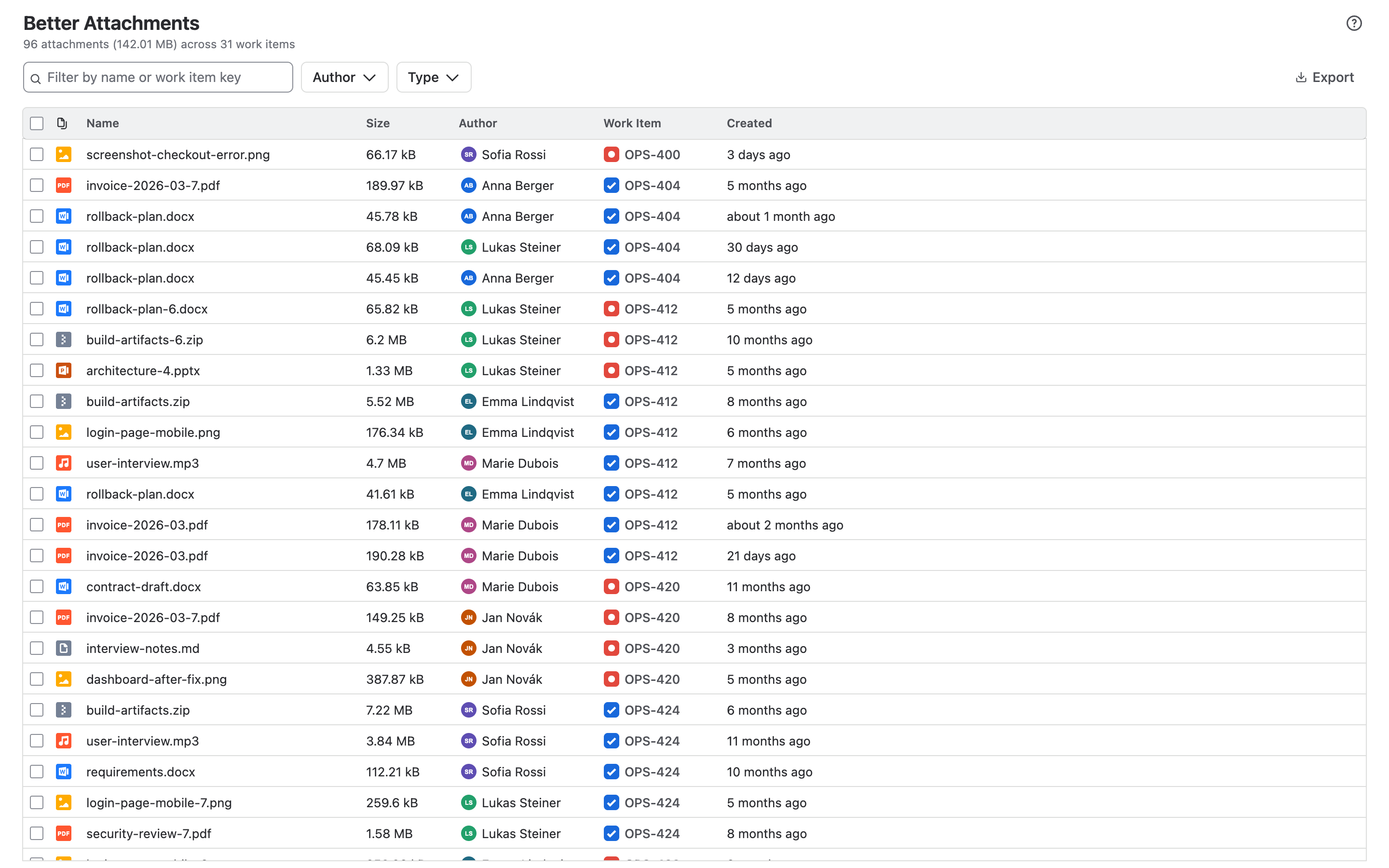
Each row is one attachment. The columns are:
| Column | Shows |
|---|---|
| Type | A thumbnail for images, an icon for other file types |
| Name | The file name. Click it to open or download the file. |
| Size | The file size |
| Author | Who uploaded the file |
| Work item | The work item the file is attached to. Click it to open the work item. |
| Created | When the file was uploaded |
Above the table you see how many attachments were found, their total size and how many work items they belong to.
Sort
Click a column heading to sort by it. Click again to reverse the order, and a third time to remove the sorting.
Show, hide and resize columns
- Hover over a column heading and click the eye to hide the column. A menu in the filter bar lists hidden columns and brings them back.
- Drag the right edge of a column heading to change its width.
- The cog on Work item adds the summary to the key. The cog on Created switches between “3 days ago” and the exact date.
Your column settings are saved for you and apply the next time you open the app.
Filters
| Filter | Shows |
|---|---|
| Text | Attachments whose file name, work item key or work item summary contains the text |
| Type | Attachments of the chosen file types |
| Author | Attachments uploaded by the chosen people |
Filters combine: an attachment has to match all of them. The button next to the filters shows how many items are hidden and clears all filters with one click.
Download
- Tick one attachment and choose Download to get that file.
- Tick several and choose Download as .zip to get one archive.
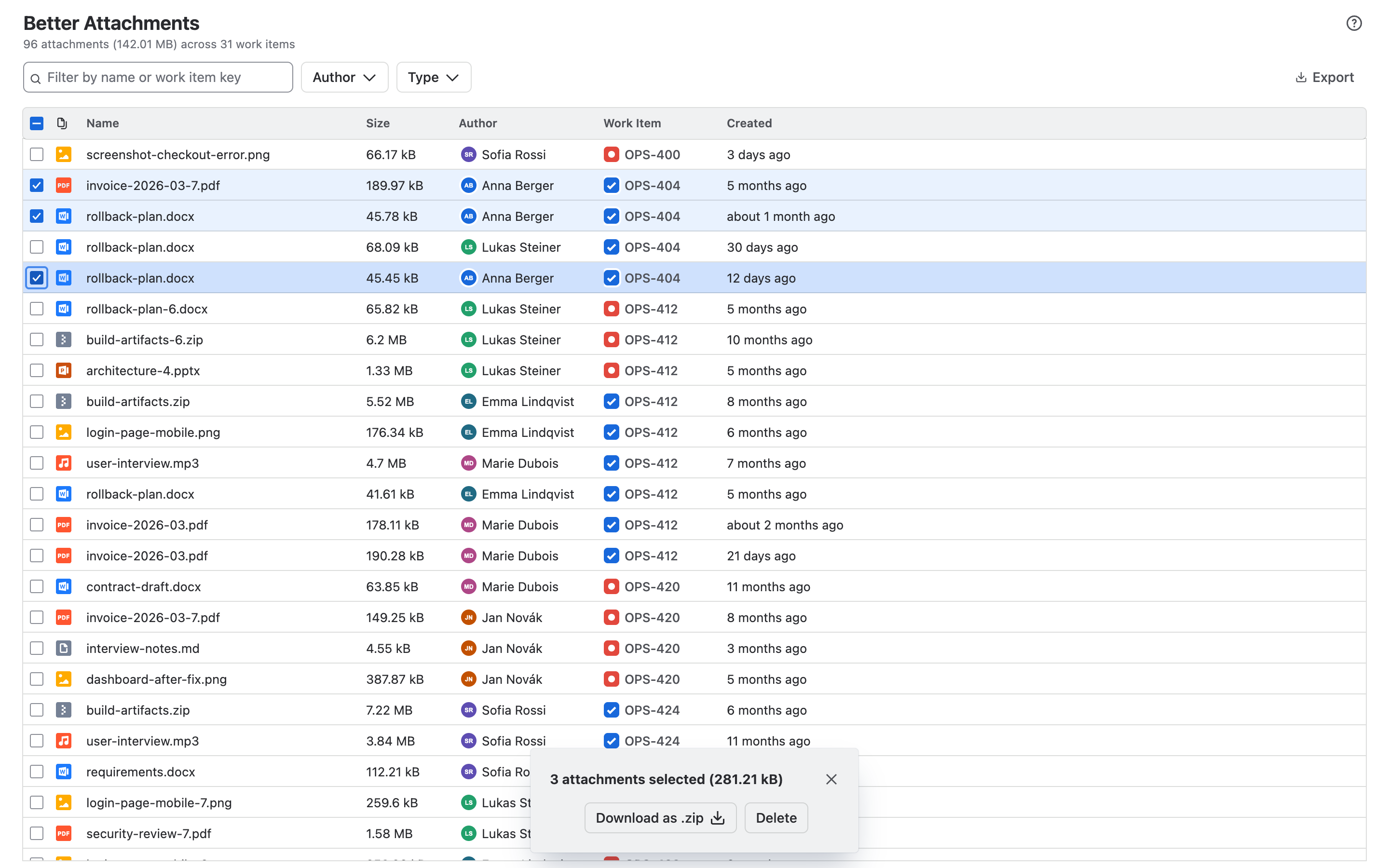
A large selection is split into several archives, which you download one after the other. The cog lets you set how large one archive may be: up to 5,000 files or 512 MB.
Delete
Tick the attachments, choose Delete and confirm. Deleted attachments are removed from Jira permanently and cannot be restored.
You can only delete attachments that Jira allows you to delete. If you lack the permission, the button is disabled.
Export to CSV
Export, Download as CSV saves the table as a file for a spreadsheet. The export contains the rows you see, in the order you see them, with the visible columns.
Limits
| Work items in one view | up to 30,000 |
| Files per ZIP archive | up to 5,000 |
| Size per ZIP archive | up to 512 MB |
More than one project?
Better Attachments Pro searches across projects with JQL and adds labels, flags, revisions and a panel on every work item.
Help
Use the ? button in the app, or the support portal. Tell us what you were doing and what you saw. A screenshot helps.